
Bulletproof Pre-Start Inspections. Keep Your Fleet Moving.
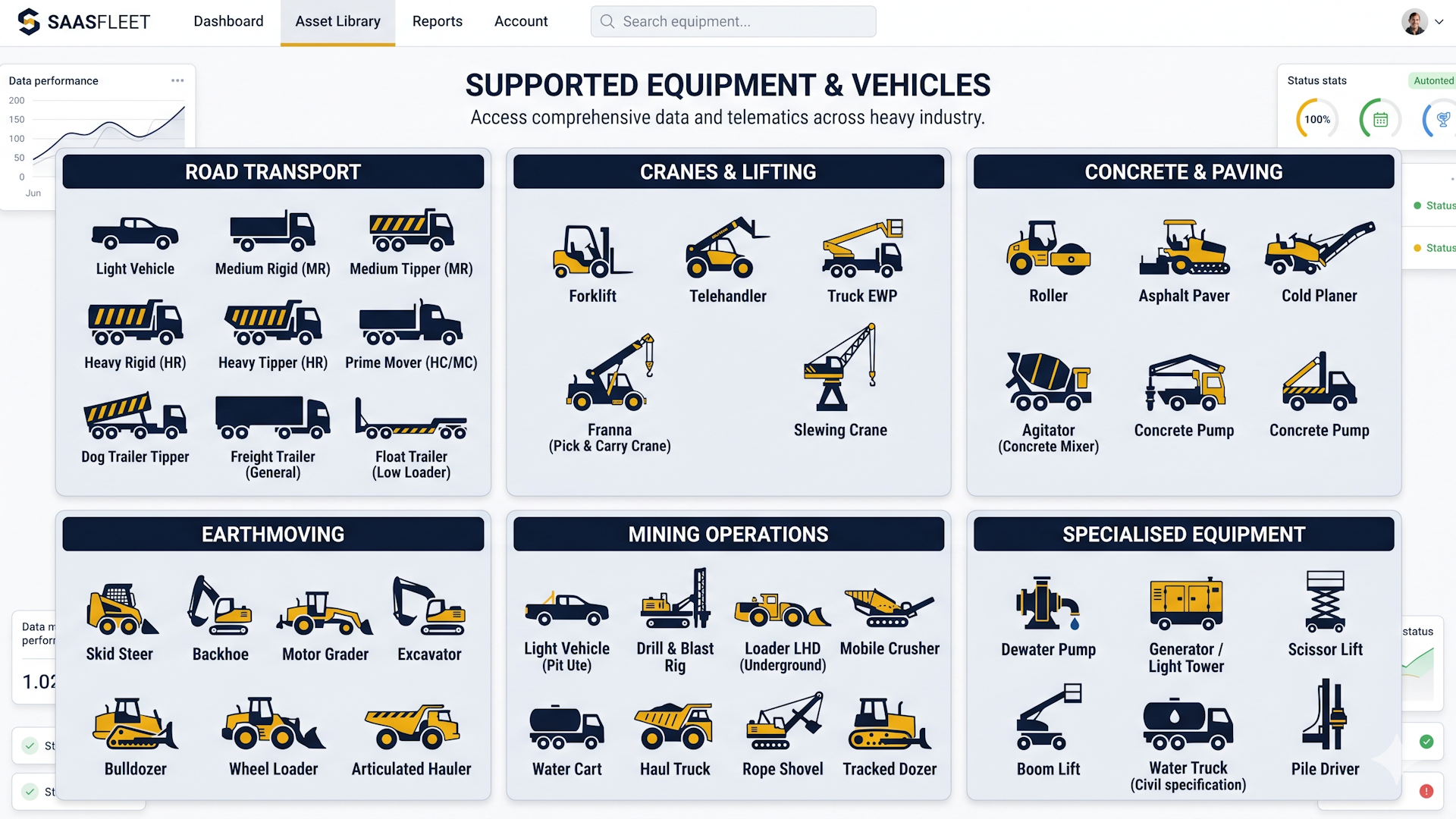
A seamless visual safety inspection app for every asset in your lineup. From Utes to Heavy Equipment—replace lost logbooks with instant, cloud-synced defect reports and fix issues before they cause downtime.

Real-Time Defect Alerts
The second an operator flags a faulty brake or broken light, management is notified instantly. Schedule preventative maintenance before it becomes a roadside fine or catastrophic breakdown.
End the "Tick-and-Flick"
Drivers can't blindly tap "Pass." Our system mandates photographic evidence for defects, ensuring daily inspections are legitimately performed, not faked from the breakroom.
Bulletproof Audit Trails
Every report is GPS-stamped and synced to your secure cloud portal. Facing an incident investigation? Pull any vehicle’s complete safety history in three clicks. Zero filing cabinets required.
Zero-Friction Adoption
Built for big thumbs, screen glare, and tight schedules. If your drivers can send a text message, they can master A-Composite HVESI on day one with zero formal training.
Engineered for the Cabin
A high-visibility interface designed for heavy operations. No formal training required.


Choose the plan that fits your operation.
All plans include unlimited inspections, GPS stamping, and cloud syncing.
- 1 Vehicle Maximum
- Full Pre-Start Checklists
- Local Device Storage
- Instant PDF Exporting
- Photographic Evidence
- Multi-Driver Roster Syncing
- Admin Web Dashboard Portal
- Instant Cloud Compliance
- Basic ESG Carbon Tracking
- Dynamic Ghost Vehicle Removal
- Advanced Enterprise Tools
- Unlimited History Retention
- Multi-Role Manager Access
- Priority API & Webhook Support
- Bulk Data Exporting
Resources & Support
Everything you need to deploy A-Composite Fleet across your operations.
Contextual Support Form.
Request Account & Data Deletion
To delete your HVESI account and all associated heavy vehicle inspection data, submit your registered email below. Ensure you select "Request Account & Data Deletion" from the Issue Category dropdown.